
8 node HGX B300 AI pod, 64 GPUs
Eight HGX B300 servers with 64 GPUs on one 800 Gb/s fabric, with control plane, all flash storage and management network, delivered as one deployable pod.
GPU: NVIDIA HGX B300
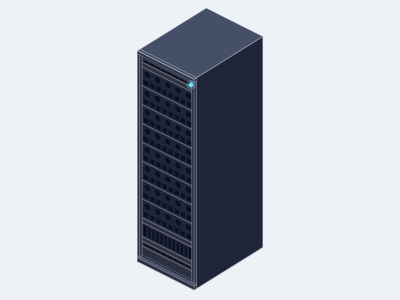
- GPU nodes
- 8 x 8 GPU HGX B300 servers, 64 x B300, 16.8 TB HBM3e
- Fabric
- 64 x 800 Gb/s ports, non blocking, 1 or 2 x Quantum-X800 or Spectrum-X class switches
- CPU and control
- 2 x CPU nodes for data services, 6 x control plane nodes
- Storage
- 64 TB usable all flash minimum, 1 TB per GPU, 2 x NVMe storage nodes
- Racks
- 3 to 4 racks at about 14 kW per GPU node, about 125 kW total
- Delivery
- Racked, cabled and fabric validated, with optional on site installation
Overview
The 8 node pod is the smallest unit we deliver as a complete cluster rather than a set of servers. Eight HGX B300 servers with 64 GPUs sit on a non blocking 800 Gb/s fabric, with the CPU, control plane and storage nodes that a production cluster needs, all specified against the same sizing rules we use for larger clusters.
The sizing is simple: six CPU threads and 24 GB of CPU memory per GPU, six control plane nodes for scheduling, fabric management and observability, and one terabyte of usable flash per GPU. At 64 GPUs that means two dual socket CPU nodes, six control plane nodes and two all flash storage nodes with 64 TB usable, growing with your data.
We have the pod racked, cabled and fabric validated before shipment, provide the elevation and power schedule for your data center or colocation facility, and offer on site installation. Plan for three to four racks and about 125 kW. If your site is still being prepared, tell us the ready date and we will plan the build and the shipment around it.
Use cases
- Training models up to the 100B parameter class
- Production inference clusters
- Enterprise AI platforms
- Research groups and universities
Specifications
| GPU nodes | 8 x 8 GPU HGX B300 AI server, air cooled, 10U each |
|---|---|
| GPUs | 64 x NVIDIA B300, 288 GB HBM3e each, 16.8 TB total (8 x 2.1 TB per node) |
| Node variant | HGX B200 nodes (180 GB per GPU, 11.2 TB total) for the same pod design, build to order; see the 8 node HGX B200 AI pod |
| CPU nodes | 2 x 1U dual socket EPYC 9005 compute servers (384 threads and 1.5 TB memory each, meeting 6 threads and 24 GB per GPU) |
| Control plane | 6 x 1U single socket EPYC 9005 control plane servers |
| Intel option | GPU node hosts, CPU nodes and control plane nodes can be specified on Intel Xeon 6 instead of AMD EPYC 9005 |
| East west | 64 x 800 Gb/s, InfiniBand XDR on Quantum-X800 class switches or 800 GbE on Spectrum-X class switches, non blocking |
|---|---|
| North south | 16 x 400 Gb/s BlueField-3 ports into a 400 GbE leaf pair |
| Management | 1 GbE out of band network for every BMC and switch |
| Cabling | 800G OSFP transceivers and cables, lengths per rack elevation |
| Capacity | 64 TB usable minimum, 1 TB per GPU, expandable |
|---|---|
| Nodes | 2 x 2U 24 bay all NVMe storage servers with 2 x 400 Gb/s each |
| Software | Parallel file system or NVMe over Fabrics, specified with the order |
| Racks | 3 to 4 x 42U or 48U racks, 3 GPU nodes per rack at about 42 kW, plus 1 rack for storage, CPU, control plane and switches |
|---|---|
| Planning power | About 125 kW total: 8 x 14 kW GPU nodes, 2 x 1 kW CPU, 6 x 0.5 kW control, 2 x 1.3 kW storage, switches and overhead |
| Cooling | Air cooled, hot aisle containment recommended |
Figures describe the system class. Exact configuration, weights and power draw are confirmed on the quotation.
What's included
- Rack elevation, cabling plan and power schedule
- Nodes, switches, cables and optics as one bill of materials
- Burn in of every node and fabric validation across the cluster, acceptance report
- NVIDIA end user registration handled with the order
- Deployment support and optional on site installation
- 3 year warranty, options to 5 years with advance replacement
Compliance
Related
Related systems
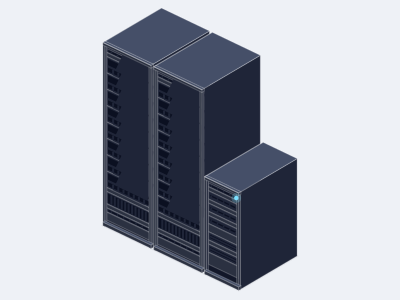
16 node HGX B300 AI pod, 128 GPUs
Allocation required- GPU nodes
- 16 x 8 GPU HGX B300 servers, 128 x B300
- Fabric
- 128 x 800 Gb/s ports, leaf and spine
- CPU and control
- 3 x CPU nodes for data services
- Chassis
- Multi rack, about 245 kW, air or liquid cooled
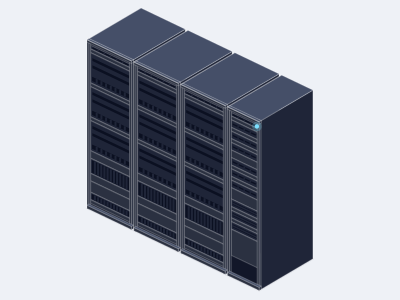
64 node HGX B300 AI cluster, 512 GPUs
Allocation required- GPU nodes
- 64 x 8 GPU HGX B300 servers, 512 x B300
- Fabric
- 512 x 800 Gb/s ports, leaf and spine
- CPU tier
- 8 x dual socket EPYC 9005 nodes
- Chassis
- Multi rack, about 950 kW, air or liquid cooled
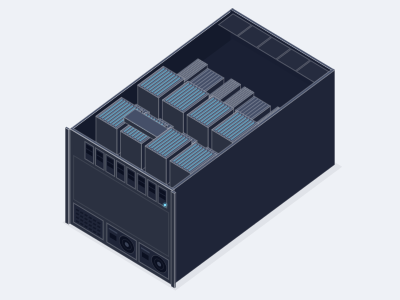
8 GPU HGX B300 AI server, air cooled
Allocation required- GPUs
- 8 x NVIDIA B300, 288 GB HBM3e each
- CPU
- 2 x AMD EPYC 9005 or 2 x Intel Xeon 6
- Memory
- Up to 3 TB DDR5 RDIMM across 24 or 32 slots
- Chassis
- 10U, about 14 kW, air cooled
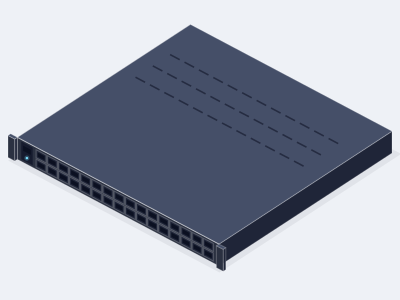
800G Quantum-X800 InfiniBand switch
- Ports
- 144 x 800 Gb/s XDR InfiniBand through 72 OSFP cages
- Throughput
- 115.2 Tb/s aggregate switching
- In network computing
- SHARP fourth generation, adaptive routing
- Form factor
- 4U, air cooled
8 node HGX B200 AI pod, 64 GPUs
- GPU nodes
- 8 x 8 GPU HGX B200 servers, 64 x B200
- Fabric
- 64 x 800 Gb/s ConnectX-8 ports
- CPU and control
- 2 x CPU nodes for data services
- Chassis
- Multi rack, about 125 kW, air cooled
Related guides
Air cooled vs liquid cooled AI servers
How to decide between air and direct liquid cooling for GPU servers, from the rack power limit up to NVL72 racks that only come liquid cooled.
In this guide
- The question is the rack, not the server
- How air cooling works at high density
Buying data center GPUs, export and registration
The compliance steps that come with every HGX, H200 NVL, Server Edition and NVL72 purchase, explained so your order ships on time.
In this guide
- Why a GPU purchase comes with paperwork
- Which products are covered
Choosing a GPU server for LLM inference
A practical method for sizing an inference server from the model, the quantization and the concurrency you expect, with worked examples.
In this guide
- Start with the model, not the server
- Step 1: how much GPU memory the weights need
HGX vs PCIe GPU servers
The real differences between an HGX node and a PCIe GPU server, and a simple rule for choosing between them.
In this guide
- Two kinds of 8 GPU server
- The interconnect is the point
Compare it with the next class up or down
The nearest classes we quote are the 16 node HGX B300 AI pod, 128 GPUs and the 64 node HGX B300 AI cluster, 512 GPUs. If neither is quite right, tell us the workload and we specify the system between them.
- (858) 613-1818
- sales@computermodules.com
- Monday to Friday, 8am to 5pm Pacific