
HGX vs PCIe GPU servers
Two kinds of 8 GPU server
Walk down a row of AI servers and most of them hold eight GPUs. They are not the same machine. An HGX server carries eight SXM GPU modules on an NVIDIA HGX baseboard, joined by NVLink through NVSwitch chips so that every GPU talks to every other at full speed. A PCIe GPU server carries eight add in cards in PCIe slots, each talking to the CPU and to each other over the PCIe bus, sometimes with NVLink bridges between pairs. The difference decides what the server is good at, what it costs to buy and to run, and what the facility must provide. This guide puts the two side by side.
The interconnect is the point
In an HGX B300 node the GPUs exchange data over NVLink at an aggregate bandwidth more than an order of magnitude above PCIe Gen 5 x16, and NVSwitch makes that bandwidth all to all rather than pairwise. When a job splits one model across eight GPUs, as tensor parallel training and low latency inference do, the GPUs exchange activations at every layer, and that traffic sets the speed of the job. On NVLink it is almost free. On PCIe it is the bottleneck.
A PCIe server with H200 NVL narrows the gap for pairs: NVLink bridges join two or four cards, and work that fits in a pair runs well. Beyond the pair it is PCIe again. RTX PRO 6000 Blackwell Server Edition cards have no NVLink and rely on PCIe Gen 5 alone, which is entirely adequate when each GPU runs its own job.
Side by side
| Factor | HGX node (B300, B200, H200) | PCIe server (RTX PRO 6000 Blackwell SE, H200 NVL) |
|---|---|---|
| GPU to GPU | NVLink and NVSwitch, all to all | PCIe Gen 5; NVLink bridges in pairs on H200 NVL |
| GPU memory per node | 1.1 to 2.1 TB HBM3e | 768 GB GDDR7 or 1.1 TB HBM3e |
| Memory bandwidth per GPU | HBM3e, several TB/s | GDDR7 under 2 TB/s; HBM3e on H200 NVL |
| Inter node fabric | One 800 Gb/s rail per GPU is standard | Optional; usually 1 or 2 rails per node |
| Planning power per node | About 14 kW air cooled | 4 to 6 kW |
| Cooling | Air at 8 to 10U, or liquid | Air at 4 to 5U |
| Flexibility | GPUs are fixed to the baseboard | Cards can be added, swapped or mixed |
| Best for | Training, tensor parallel inference, multi node jobs | Independent inference replicas, fine tuning, rendering, mixed workloads |
Where HGX wins
Training anything beyond a few billion parameters. Serving a large model with low latency targets, where the model must be split eight ways. Any job that will span more than one node, because the HGX design assumes a fabric rail per GPU and the PCIe topology is arranged for GPUDirect RDMA to each NIC. HPC codes that scale with MPI and need HBM bandwidth. If your plan involves the words "cluster" or "pretraining", you are an HGX buyer, and the choice is between B300, B200 and H200 nodes rather than between HGX and PCIe.
Where PCIe wins
Inference at scale with many independent replicas, where eight 96 GB GPUs serving eight copies of a model deliver more tokens per watt than an HGX node. Fine tuning with LoRA or on models that fit one or two cards. Rendering and visualization, where there is no cross GPU traffic at all. Research servers that run many small jobs, especially with Multi-Instance GPU. Any site with a 6 kW rack limit and no plan to raise it. And any budget where GPU count matters more than GPU to GPU bandwidth: an 8 GPU PCIe server with RTX PRO 6000 Blackwell Server Edition puts 768 GB of GPU memory in a 4U air cooled chassis that any data center can host.
The middle ground: H200 NVL
The 8 GPU PCIe server with H200 NVL is the option for buyers who need HBM bandwidth and FP64 but not an HGX fabric. Cards are bridged in pairs or fours, memory is 141 GB per card, and the server runs on air in a standard rack. It suits HPC departments and inference of models that fit a pair.
What the facility must provide
An HGX node needs around 14 kW of power at the rack, high density air cooling with containment or direct liquid cooling, and 8 to 10U of depth and height. Many enterprise data centers cannot take one without work. A PCIe server fits where a dense conventional server fits. Before choosing HGX, confirm the room, or plan to place the hardware in a colocation facility that has the density already.
A simple rule
If one job will use all eight GPUs at once, buy HGX. If eight jobs will each use one GPU, buy PCIe. If it is somewhere between, count how often a job needs more than two GPUs; if that is the common case, HGX, if it is the exception, PCIe with H200 NVL pairs. And if you are not sure, say so when you request a quotation and we will quote both so the comparison is in front of you.
FAQ
Can I add a fabric to a PCIe server later?
Yes, within limits. Most 8 GPU PCIe chassis have slots for one or two ConnectX-8 adapters, and the PCIe topology supports GPUDirect RDMA on at least some GPUs. You will not get a rail per GPU, so multi node training scales poorly, but multi node inference and storage access work well.
Is an HGX H200 node still worth buying?
For FP64 HPC and for inference of models that fit 1.1 TB, yes, and it is often available sooner than Blackwell parts. For new training clusters, B200 and B300 deliver considerably more per node and per watt.
Can I mix HGX and PCIe nodes in one cluster?
You can put them on the same network and scheduler, and many customers do: HGX nodes for training, PCIe nodes for inference and development. Do not expect a single job to span both kinds.
Related systems
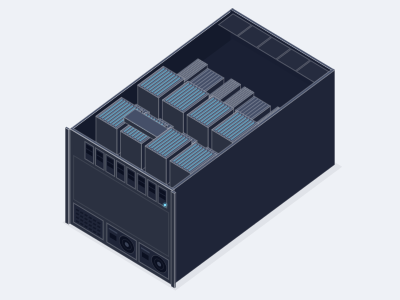
8 GPU HGX B300 AI server, air cooled
Allocation required- GPUs
- 8 x NVIDIA B300, 288 GB HBM3e each
- CPU
- 2 x AMD EPYC 9005 or 2 x Intel Xeon 6
- Memory
- Up to 3 TB DDR5 RDIMM across 24 or 32 slots
- Chassis
- 10U, about 14 kW, air cooled
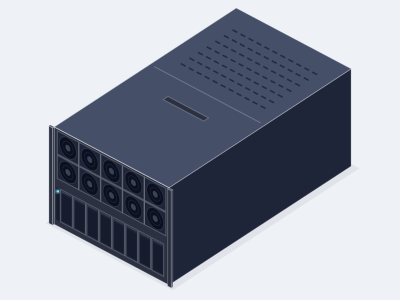
8 GPU HGX B200 AI server
- GPUs
- 8 x NVIDIA B200, 180 GB HBM3e each
- CPU
- 2 x AMD EPYC 9005 or 2 x Intel Xeon 6
- Memory
- Up to 3 TB DDR5 RDIMM
- Chassis
- 8U, about 14 kW, air cooled
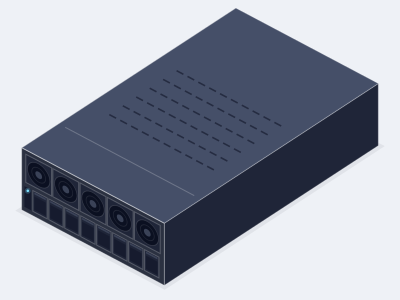
8 GPU RTX PRO 6000 PCIe AI server
- GPUs
- 8 x RTX PRO 6000 Blackwell Server Edition
- CPU
- 2 x AMD EPYC 9005 or 2 x Intel Xeon 6
- Memory
- Up to 2 TB DDR5 RDIMM
- Chassis
- 4U, about 6.5 kW, air cooled
8 GPU H200 NVL PCIe AI server
Available on request- GPUs
- 8 x NVIDIA H200 NVL, 141 GB HBM3e each
- CPU
- 2 x AMD EPYC 9005 or 2 x Intel Xeon 6
- Memory
- Up to 2 TB DDR5 RDIMM
- Chassis
- 4U, about 6.5 kW, air cooled
Related GPUs
NVIDIA HGX B300
Allocation required- Memory
- 288 GB HBM3e per GPU
- Form
- HGX SXM, 8 GPU
- Best for
- Frontier LLM training, reasoning model inference and large multi node clusters
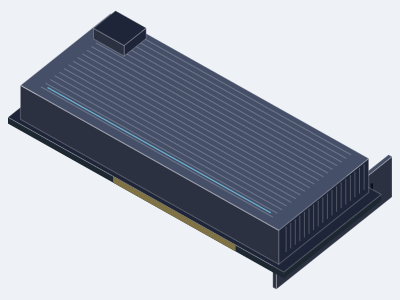
NVIDIA H200 NVL
Available on request- Memory
- 141 GB HBM3e per GPU
- Form
- PCIe, dual slot
- Best for
- Inference and fine tuning in PCIe servers from 2 to 8 GPUs, bridged in pairs or fours
NVIDIA RTX PRO 6000 Blackwell Server Edition
- Memory
- 96 GB GDDR7 with ECC per GPU
- Form
- PCIe, dual slot, passive
- Best for
- Dense PCIe inference, fine tuning, rendering and virtual workstations from 1 to 10 GPUs per server
Ready to specify a system?
Tell us what you are building and we turn it into a specified system with a written quotation.
- (858) 613-1818
- sales@computermodules.com
- Monday to Friday, 8am to 5pm Pacific