
Choosing a GPU server for LLM inference
Start with the model, not the server
The right inference server falls out of four facts: the model you will serve, the precision you will serve it at, how many requests must be in flight at once, and the latency each user will tolerate. Everything else, GPU count, GPU type, PCIe or HGX, follows from those. Buyers who start from the server tend to buy too much interconnect and too little memory. This guide works through the four facts in order.
Step 1: how much GPU memory the weights need
A model's weights occupy roughly the parameter count multiplied by the bytes per parameter. At FP16 that is 2 bytes, at FP8 1 byte, and at FP4 half a byte. A 70 billion parameter model therefore needs about 140 GB at FP16, 70 GB at FP8 and 35 GB at FP4. Blackwell GPUs run FP4 natively with the second generation Transformer Engine, so FP4 is a production choice on RTX PRO 6000 Blackwell and HGX B300, not a compromise, provided your evaluation shows the quality holds for your task.
Step 2: add the KV cache
Every request in flight keeps a key value cache for every token in its context. The size per token depends on the model's layers, heads and precision; for a 70B class model at FP8 it is in the region of 160 KB per token, so a 32,000 token context for one user is about 5 GB, and 64 concurrent users at that context need over 300 GB before you have served a word. This is why high concurrency servers run out of memory long before they run out of compute. Choose the context length and concurrency you intend to support, multiply, and add it to the weights. Then add 20 percent for the serving framework, activations and headroom.
Step 3: throughput or latency
Throughput, the total tokens per second a server produces, is served best by more GPUs each holding an independent replica of the model, so that batches are large and no GPU waits on another. Latency, the time to first token and between tokens for one user, is served best by splitting the model across GPUs with tensor parallelism so that each step runs faster. Tensor parallelism over NVLink costs very little; over PCIe it costs real time per token. If low latency on a large model is the goal, that is the case for HGX. If the goal is the most tokens per hour from a rack, it is the case for PCIe servers full of independent GPUs.
Step 4: pick the server class
| Server class | GPU memory per node | Interconnect | Fits best |
|---|---|---|---|
| 4 GPU RTX 5090 AI server, GeForce RTX 5090 | 128 GB | PCIe | Entry tier: models up to the 30B class at FP4, one replica per GPU, lowest cost per GPU; no ECC, consumer licensing terms |
| 2 GPU 2U inference server, RTX PRO 6000 Blackwell Server Edition | 192 GB | PCIe | One 70B model at FP8 for a team or an edge site |
| 8 GPU PCIe server, RTX PRO 6000 Blackwell Server Edition | 768 GB | PCIe | Many replicas of models up to 70B; best tokens per watt |
| 8 GPU PCIe server, H200 NVL | 1.1 TB | NVLink bridges in pairs | HBM bandwidth for larger models in pairs without a full HGX |
| 8 GPU HGX B300 server | 2.1 TB HBM3e | NVLink and NVSwitch | Frontier scale models split across 8 GPUs; lowest latency |
Worked example: internal assistant
A 70B model at FP8 for 200 staff, 16,000 token context, perhaps 20 requests in flight at peak. Weights 70 GB, cache about 50 GB, headroom 25 GB: 145 GB. Two RTX PRO 6000 Blackwell Server Edition GPUs at 96 GB each hold it with the model split in two over PCIe, which is acceptable at this concurrency. The 2 GPU 2U server is the answer, and the planning power is under 2 kW.
Worked example: public API
The same model, 500 requests in flight, latency targets per user. Cache alone is now several hundred gigabytes. Split the load across replicas: each 8 GPU PCIe server runs four replicas of two GPUs each, and a load balancer spreads requests over as many servers as the traffic needs. Add servers as traffic grows, and keep the fabric simple, since replicas do not talk to each other.
Worked example: largest open models
A model in the several hundred billion parameter class at FP4 needs around 200 GB for weights plus cache, and needs to be split eight ways to meet latency targets. That is an 8 GPU HGX B300 node, where NVSwitch makes the split cheap and 2.1 TB of HBM3e leaves generous room for cache. Several nodes behind a balancer serve a platform.
The rest of the box
Inference needs less from the host than training, but not nothing. Plan 6 CPU threads and 24 GB of system memory per GPU for tokenization, request handling and the serving framework. Fit 2 x 100 Gb/s or faster front end networking on a server that handles public traffic. Local NVMe only has to hold the models you will load, so a few terabytes is plenty. Power is the limit people forget: an 8 GPU PCIe node at a 600 W per GPU cap is a 6 kW class device and an HGX B300 node is planned at about 14 kW, so check the rack before the server ships.
FAQ
Should I serve at FP8 or FP4?
Evaluate both on your own task. FP8 is close to lossless for most models. FP4 halves memory and roughly doubles throughput on Blackwell and is often indistinguishable in practice, but a small number of tasks show measurable degradation, so test before committing.
Do I need NVLink for inference?
Only if one model must be split across GPUs and latency matters. If each GPU, or each pair over PCIe, can hold a replica, independent GPUs give more throughput for less power and PCIe servers are the better buy.
How do I size for traffic I cannot forecast?
Buy for the load you can see in the next six months on PCIe servers, which scale by adding nodes, and add nodes as the forecast settles. The models and serving stack move onto the new nodes without change, and if you are comparing against cloud GPU pricing in the meantime, the same sizing applies.
Related systems
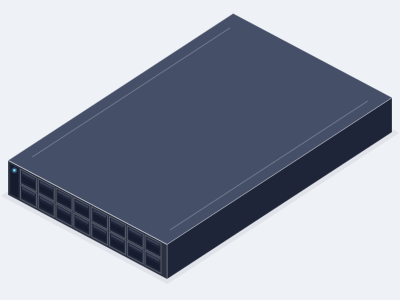
2 GPU 2U inference server
- GPUs
- 2 x RTX PRO 6000 Blackwell Server Edition (96 GB)
- CPU
- 1 or 2 x AMD EPYC 9005, or 2 x Intel Xeon 6
- Memory
- Up to 1.5 TB DDR5 RDIMM
- Chassis
- 2U, about 2 kW, air cooled
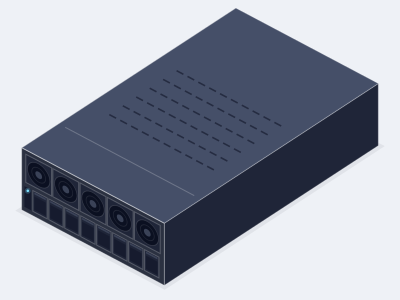
8 GPU RTX PRO 6000 PCIe AI server
- GPUs
- 8 x RTX PRO 6000 Blackwell Server Edition
- CPU
- 2 x AMD EPYC 9005 or 2 x Intel Xeon 6
- Memory
- Up to 2 TB DDR5 RDIMM
- Chassis
- 4U, about 6.5 kW, air cooled
8 GPU H200 NVL PCIe AI server
Available on request- GPUs
- 8 x NVIDIA H200 NVL, 141 GB HBM3e each
- CPU
- 2 x AMD EPYC 9005 or 2 x Intel Xeon 6
- Memory
- Up to 2 TB DDR5 RDIMM
- Chassis
- 4U, about 6.5 kW, air cooled
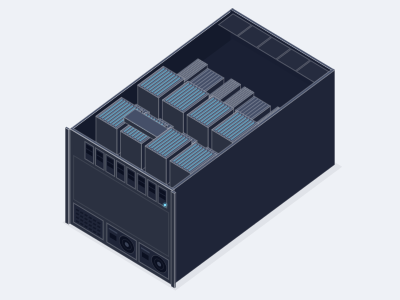
8 GPU HGX B300 AI server, air cooled
Allocation required- GPUs
- 8 x NVIDIA B300, 288 GB HBM3e each
- CPU
- 2 x AMD EPYC 9005 or 2 x Intel Xeon 6
- Memory
- Up to 3 TB DDR5 RDIMM across 24 or 32 slots
- Chassis
- 10U, about 14 kW, air cooled
Related GPUs
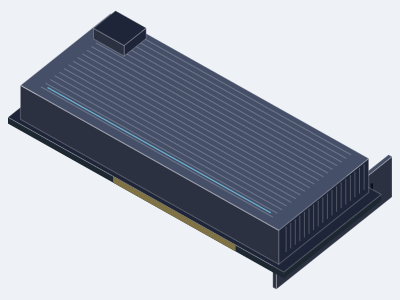
NVIDIA RTX PRO 6000 Blackwell Server Edition
- Memory
- 96 GB GDDR7 with ECC per GPU
- Form
- PCIe, dual slot, passive
- Best for
- Dense PCIe inference, fine tuning, rendering and virtual workstations from 1 to 10 GPUs per server
NVIDIA H200 NVL
Available on request- Memory
- 141 GB HBM3e per GPU
- Form
- PCIe, dual slot
- Best for
- Inference and fine tuning in PCIe servers from 2 to 8 GPUs, bridged in pairs or fours
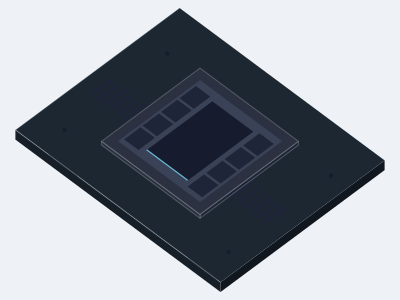
NVIDIA HGX B300
Allocation required- Memory
- 288 GB HBM3e per GPU
- Form
- HGX SXM, 8 GPU
- Best for
- Frontier LLM training, reasoning model inference and large multi node clusters
Ready to specify a system?
Tell us what you are building and we turn it into a specified system with a written quotation.
- (858) 613-1818
- sales@computermodules.com
- Monday to Friday, 8am to 5pm Pacific