
Sizing CPU, memory and storage around GPUs
The GPUs are the expensive part, so feed them
An AI server's cost is mostly GPUs, and its performance is mostly whether those GPUs are kept busy. Every stall, waiting for the CPU to prepare a batch, for memory to stage a checkpoint, for a disk to deliver the next shard, is wasted money at the most expensive rate in the building. The rest of the server exists to prevent those stalls. This guide gives the rules we use to size it, with the reasoning, so that you can adjust them for your own workload.
The six rules
| Resource | Rule | Why |
|---|---|---|
| CPU | At least 128 threads per 8 GPU node | Data loading, tokenization, augmentation and the framework's host side work run in parallel for every GPU |
| System memory | 240 GB per GPU | Pinned buffers, checkpoint staging, optimizer offload and the operating system's page cache for the dataset |
| Local NVMe | Four times the total GPU memory | Checkpoints, the working dataset and swap space for offloading, written and read fast enough not to stall |
| Shared storage | 1 TB usable per GPU | Datasets, checkpoints and outputs that outlive the node and must be visible to every node |
| Supporting services | 6 CPU threads and 24 GB memory per GPU, on top | Monitoring, logging, the scheduler agent, the serving stack or the container runtime |
| Fabric | One rail per GPU on training nodes | Collective traffic should never queue behind another GPU's |
CPU: threads, not clock speed
GPUs do not need a fast CPU; they need enough CPU threads to prepare the next batch while the current one runs. For an 8 GPU node, 128 threads is the floor, which two AMD EPYC 9005 series or Intel Xeon 6 processors of mid range core count provide comfortably. Vision and multimodal workloads with heavy augmentation want more. PCIe lanes matter as much as cores: eight GPUs, eight fabric adapters and eight NVMe drives all need Gen 5 lanes, and the CPU pair has to provide them without a switch in the way.
System memory: more than you think
The rule of 240 GB per GPU surprises buyers, because the model lives in GPU memory. The host memory is for everything around the model: pinned transfer buffers, several checkpoints in flight, the page cache that keeps the dataset hot, and, on fine tuning and large model work, optimizer state offloaded from the GPU. An 8 GPU HGX B300 node under this rule carries about 2 TB, which is 24 DIMMs at a mainstream capacity. Inference nodes can run with less; 24 GB per GPU for the serving stack plus space for the models you load is enough.
Local NVMe: four times GPU memory
An HGX B300 node has 2.1 TB of GPU memory, so the rule gives about 8.5 TB of local NVMe, in practice four to eight enterprise drives in U.2 or E3.S form. The reasons are checkpoints, which for a large model are the full size of the GPU memory and are written often, and the active dataset shard, which should be read from local flash rather than the network. Choose drives rated for sustained writes, mirror the boot pair, and keep the data drives as a simple striped volume.
Shared storage: 1 TB usable per GPU
Local disks belong to one node. A cluster needs storage every node can see: the full dataset, checkpoints for restart on a different node, and results. The rule of 1 TB usable per GPU gives a 16 node pod of 128 GPUs about 128 TB usable, served over a separate storage network at a bandwidth that lets every node load a checkpoint at once. Keep storage traffic off the compute fabric rails; a dedicated 100 or 200 Gb/s port per node to a storage network is the standard arrangement.
Supporting services: the hidden 20 percent
Every node runs a monitoring agent, a log shipper, a scheduler daemon and a container runtime; inference nodes run the serving framework and a load balancer sidecar; shared research servers run notebooks. These are not free. Add 6 CPU threads and 24 GB of memory per GPU on top of the rules above so that a monitoring spike does not slow a batch, and do not run them on the same cores the data loaders use.
Worked examples
8 GPU HGX B300 training node
Two CPUs totaling at least 176 threads (128 for loading plus 48 for services). System memory about 2 TB plus 192 GB for services, so 24 x 96 GB DIMMs. Local NVMe about 9 TB across four to eight drives plus a mirrored boot pair. Eight 800 Gb/s fabric rails, two 400 Gb/s ports for storage and management. This is the configuration behind our 8 GPU HGX B300 AI server.
8 GPU PCIe inference server
GPU memory is 768 GB, but inference writes nothing large and loads models once, so the rules relax. 96 CPU threads is comfortable, system memory 512 GB, local NVMe 4 TB for models, and front end networking at 2 x 100 Gb/s or faster. The 8 GPU PCIe AI server with RTX PRO 6000 Blackwell Server Edition is specified along these lines.
16 node training pod
Multiply the node figures by 16 and add the shared parts: a non blocking 800 Gb/s fabric with one rail per GPU, a storage system of about 128 TB usable with bandwidth for 16 nodes to checkpoint at once, a management network, and two spare nodes. The 16 node AI pod bundles these.
FAQ
My budget cannot cover 240 GB per GPU. What should I cut?
Cut system memory before you cut NVMe, and cut NVMe before you cut CPU threads. A node with 128 GB per GPU still trains well if the dataset is on local flash; a node with slow disks stalls regardless of memory.
Should local NVMe be RAID?
Mirror the boot drives. Leave the data drives as a stripe or as individual devices; the data is a copy of what lives in shared storage, and the checkpoint you care about is written there too.
How does this change for inference only?
Halve the CPU and memory rules, keep the services allowance, and size NVMe for the models you will load. The GPU memory arithmetic for inference is in the inference server guide.
Related systems
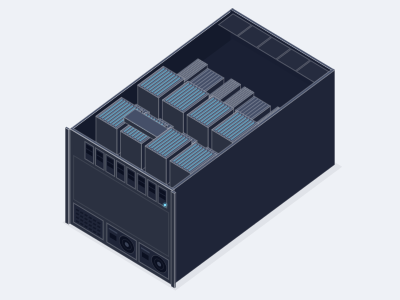
8 GPU HGX B300 AI server, air cooled
Allocation required- GPUs
- 8 x NVIDIA B300, 288 GB HBM3e each
- CPU
- 2 x AMD EPYC 9005 or 2 x Intel Xeon 6
- Memory
- Up to 3 TB DDR5 RDIMM across 24 or 32 slots
- Chassis
- 10U, about 14 kW, air cooled
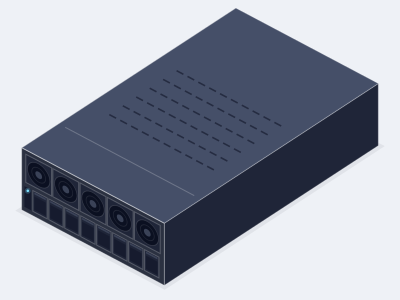
8 GPU RTX PRO 6000 PCIe AI server
- GPUs
- 8 x RTX PRO 6000 Blackwell Server Edition
- CPU
- 2 x AMD EPYC 9005 or 2 x Intel Xeon 6
- Memory
- Up to 2 TB DDR5 RDIMM
- Chassis
- 4U, about 6.5 kW, air cooled
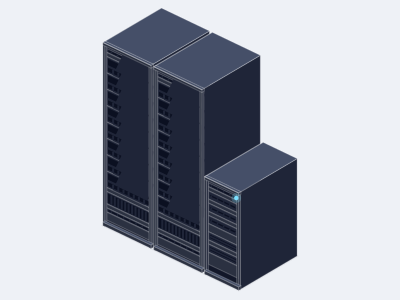
16 node HGX B300 AI pod, 128 GPUs
Allocation required- GPU nodes
- 16 x 8 GPU HGX B300 servers, 128 x B300
- Fabric
- 128 x 800 Gb/s ports, leaf and spine
- CPU and control
- 3 x CPU nodes for data services
- Chassis
- Multi rack, about 245 kW, air or liquid cooled
4 GPU PCIe AI server, 4U
- GPUs
- 4 x RTX PRO 6000 Blackwell Server Edition
- CPU
- 2 x AMD EPYC 9005 or 2 x Intel Xeon 6
- Memory
- Up to 2 TB DDR5 RDIMM
- Chassis
- 4U, about 3.5 kW, air cooled
Related GPUs
NVIDIA HGX B300
Allocation required- Memory
- 288 GB HBM3e per GPU
- Form
- HGX SXM, 8 GPU
- Best for
- Frontier LLM training, reasoning model inference and large multi node clusters
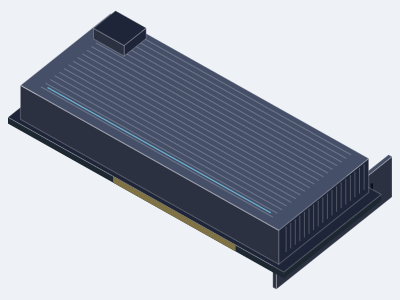
NVIDIA RTX PRO 6000 Blackwell Server Edition
- Memory
- 96 GB GDDR7 with ECC per GPU
- Form
- PCIe, dual slot, passive
- Best for
- Dense PCIe inference, fine tuning, rendering and virtual workstations from 1 to 10 GPUs per server
NVIDIA HGX B200
- Memory
- 180 GB HBM3e per GPU
- Form
- HGX SXM, 8 GPU
- Best for
- LLM training and inference where proven Blackwell systems and broad software support matter
Ready to specify a system?
Tell us what you are building and we turn it into a specified system with a written quotation.
- (858) 613-1818
- sales@computermodules.com
- Monday to Friday, 8am to 5pm Pacific