
Rendering and visualization
The workload
Rendering and visualization covers a wide family of work that shares one trait: it is bound by the GPU's ability to trace rays, shade pixels and hold a scene in memory. Final frame path tracing for film and advertising, interactive look development, real time virtual production on LED walls, architectural and product visualization, engineering digital twins, and increasingly the generative tools that sit inside the same pipelines. Some of this runs on an artist's desk and needs to be quiet; some runs on a render farm that must be dense and remotely managed; some runs on a stage where a dropped frame is visible to a hundred people.
The common failure is running out of GPU memory. Scenes with high resolution textures, dense geometry and volumetrics exceed 48 GB routinely, and a renderer that spills to host memory is many times slower.
What it needs from the hardware
Large GPU memory with error correction, so that a complex scene fits and a bit flip does not corrupt a render that took hours. Fourth generation RT cores and the Blackwell shader architecture for ray tracing throughput. Display outputs for interactive work and for driving walls, which rules out passive data center cards for desk and stage use. Fast local NVMe for asset caches, and a 25 Gb/s or faster connection to the studio's shared storage, because scenes and caches are large.
For render farms, power per frame matters as much as speed: a passive, server rated GPU at a lower power cap often produces more frames per kilowatt hour than a desktop card running flat out. For virtual production, deterministic frame times and synchronization hardware matter more than peak throughput.
Recommended systems
Workstation or small server
The AI developer workstation with one RTX PRO 6000 Blackwell Workstation Edition, 96 GB of GDDR7 with ECC, is the artist's and designer's machine: it renders scenes that defeated the previous generation and stays quiet. For smaller scenes and CAD the RTX PRO 4500 Blackwell with 32 GB does the job at a third of the power. The 4 GPU AI workstation with Max-Q cards is the lead artist's or the look development machine.
PCIe GPU server
A render farm is built from the rackmount 4U AI workstation, which puts workstation class GPUs with display outputs in a rack for virtual production and remote workstations, and from the 8 GPU PCIe server with RTX PRO 6000 Blackwell Server Edition or L40S for headless rendering at density. Eight 96 GB GPUs per 4U is the most render throughput per rack unit available with a full feature set.
HGX node or cluster
Rendering rarely needs HGX. The exception is a studio that also trains or runs generative models at scale, for which an 8 GPU HGX B300 AI server serves both the research team and the pipeline. Most studios are better served by more PCIe nodes than fewer HGX nodes.
Sizing notes
Size GPU memory to the largest scene you will render in the next two years, not the current one, and treat 96 GB as the comfortable choice for film and advertising work. Plan one GPU per render node for interactive use and four to eight for farm nodes. Give farm nodes a 4 TB class NVMe cache and 25 Gb/s to storage, and workstations 2 TB of NVMe. Remember that an 8 GPU render node at full power is a 4 kW class device, so check the room's power and cooling before the rack arrives.
Next step
Send us the renderer, the typical scene size, the number of seats or farm nodes and whether the systems are for a desk, a rack or a stage, and we will quote within one business day. We can also quote the networking and storage that go with a farm.
Related systems
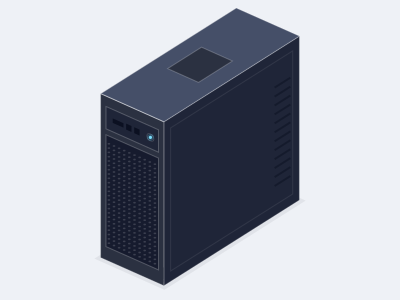
AI developer workstation, 1 to 2 GPUs
- GPUs
- 1 or 2 x NVIDIA RTX PRO 6000 Blackwell Workstation Edition
- CPU
- AMD Ryzen Threadripper PRO, 24 to 96 cores
- Memory
- 8 channel DDR5 RDIMM, 128 GB to 1 TB
- Chassis
- Tower, 1,600 W to 2,000 W PSU, air cooled
4 GPU AI workstation, RTX PRO 6000 Max-Q
- GPUs
- 4 x NVIDIA RTX PRO 6000 Blackwell Max-Q Workstation Edition
- CPU
- AMD Ryzen Threadripper PRO, 32 to 96 cores
- Memory
- 8 channel DDR5 RDIMM, 256 GB to 2 TB
- Chassis
- Tower, about 1.8 kW, air cooled
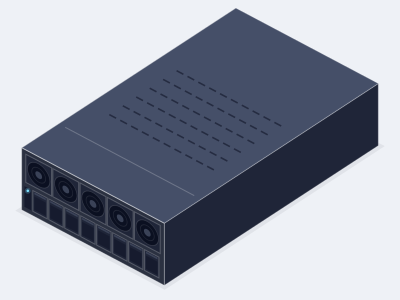
Rackmount 4U workstation, up to 4 GPUs
- GPUs
- Up to 4 x RTX PRO 6000 Blackwell Max-Q
- CPU
- AMD Ryzen Threadripper PRO or 1 x Intel Xeon 6
- Memory
- 8 channel DDR5 RDIMM, 128 GB to 2 TB
- Chassis
- 4U, about 1.8 kW, air cooled
8 GPU RTX PRO 6000 PCIe AI server
- GPUs
- 8 x RTX PRO 6000 Blackwell Server Edition
- CPU
- 2 x AMD EPYC 9005 or 2 x Intel Xeon 6
- Memory
- Up to 2 TB DDR5 RDIMM
- Chassis
- 4U, about 6.5 kW, air cooled
Related GPUs
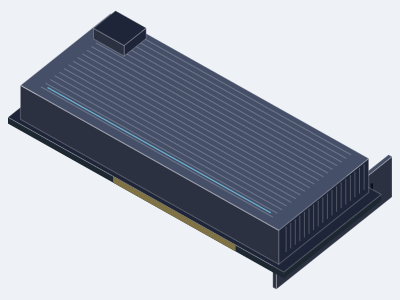
NVIDIA RTX PRO 6000 Blackwell
- Memory
- 96 GB GDDR7 with ECC per GPU
- Form
- PCIe, dual slot, active
- Best for
- AI development, fine tuning, rendering and simulation on the desk, with Max-Q for four GPU towers
NVIDIA RTX PRO 4500 Blackwell
- Memory
- 32 GB GDDR7 with ECC per GPU
- Form
- PCIe, dual slot, active
- Best for
- Compact developer systems, edge inference, CAD and visualization with a 200 W power budget
NVIDIA L40S
- Memory
- 48 GB GDDR6 with ECC per GPU
- Form
- PCIe, dual slot, passive
- Best for
- Universal inference, graphics and video servers where a proven 350 W PCIe GPU is wanted
Ready to specify a system?
Tell us what you are building and we turn it into a specified system with a written quotation.
- (858) 613-1818
- sales@computermodules.com
- Monday to Friday, 8am to 5pm Pacific