
RTX PRO 6000 Blackwell editions explained
One GPU, three ways to cool it
NVIDIA sells the RTX PRO 6000 Blackwell in three editions, and buyers regularly order the wrong one. All three carry the same Blackwell GPU with 96 GB of GDDR7 memory with error correction, the same fifth generation Tensor Cores with FP4 support, the same fourth generation RT cores, PCI Express 5.0 x16 and four DisplayPort 2.1 outputs. What differs is how much power each is allowed to draw, how it gets rid of the heat, and therefore which chassis it belongs in. Get that right and the editions are interchangeable for software; get it wrong and the card either does not fit or does not cool.
The three editions
Workstation Edition
The full power card for a single workstation. It draws up to 600 W and uses a double flow through cooler: fans on the card pull air through two sets of fins and exhaust it into the chassis, which then has to remove it. It is the largest of the three physically and the fastest when run alone, with memory bandwidth of 1,792 GB/s. It is the right card for one or two GPU workstations with good case airflow, where the user wants the highest single card performance for rendering, simulation or model development.
Max-Q Workstation Edition
The same GPU limited to 300 W, with an active blower cooler that exhausts out of the rear bracket, in a shorter dual slot card. It gives up some peak clock speed for half the power and a predictable thermal footprint, which is what lets four of them sit side by side in a tower or a 4U rackmount workstation without starving each other of air. For multi GPU workstations the Max-Q is almost always the correct choice; four Workstation Edition cards would need 2,400 W of GPU power and more airflow than a tower provides.
Server Edition
A passive card, no fans, configurable from 400 W up to 600 W, cooled by the server's own front to back airflow, in the same compact dual slot size as the Max-Q. It is designed for 2, 4, 8 and 10 GPU rackmount servers. Like the other two editions it supports Multi-Instance GPU, which splits the card into up to four isolated instances of 24 GB, and its memory bandwidth is 1,597 GB/s. It is a data center GPU for registration and export purposes.
Side by side
| Workstation Edition | Max-Q Workstation Edition | Server Edition | |
|---|---|---|---|
| GPU memory | 96 GB GDDR7, ECC | 96 GB GDDR7, ECC | 96 GB GDDR7, ECC |
| Maximum power | 600 W | 300 W | 400 to 600 W, configurable |
| Cooling | Active, double flow through | Active, blower | Passive, server airflow |
| Size | Dual slot, full length | Dual slot, compact | Dual slot, compact |
| Multi-Instance GPU | Up to 4 instances | Up to 4 instances | Up to 4 instances at 24 GB |
| Display outputs | 4 x DisplayPort 2.1 | 4 x DisplayPort 2.1 | 4 x DisplayPort 2.1 |
| Where it fits | 1 or 2 GPU workstation | 2 to 4 GPU workstation | 2 to 10 GPU rack server |
| Export status | Workstation card | Workstation card | Data center GPU, end user registration |
Choosing by chassis
The chassis decides the edition more than the workload does. A tower with one or two cards and open airflow takes the Workstation Edition and gets the highest clocks. A tower or rackmount workstation with three or four cards takes the Max-Q, because 1,200 W of GPU heat is what a workstation power supply and case can handle. A rack server takes the Server Edition and nothing else, because the server's fans provide the airflow and an active card would fight them. Our AI developer workstation ships with the Workstation Edition, the 4 GPU AI workstation with Max-Q cards, and the 8 GPU PCIe AI server with Server Edition cards.
Choosing by workload
For single user rendering, CAD, video and model development, the Workstation Edition's higher clocks and bandwidth show up in the frame time. For a lead artist or researcher who wants four GPUs beside the desk, Max-Q gives 384 GB of GPU memory in one quiet machine. For inference, fine tuning and shared research servers, the Server Edition brings MIG, which turns a 96 GB card into four 24 GB instances, each running its own model or its own user with hardware isolation. MIG is the feature that makes an 8 GPU server into a 32 seat teaching lab or a 32 replica inference node.
Power and cooling planning
Plan the Workstation Edition at 600 W per card plus 300 W for the rest of the system, which is why single card workstations ship with 1,000 W class power supplies and dual card systems with more. Plan the Max-Q at 300 W per card, so a four card workstation is a 1,500 W class device on a dedicated circuit. Plan the Server Edition at its configured cap; at 600 W an 8 GPU server is a 6 kW class device and at 400 W it is closer to 4.5 kW, which is often the difference between fitting an existing rack and not. Our air versus liquid guide covers the rack side.
FAQ
Is the Server Edition slower than the Workstation Edition?
At the same 600 W cap the Server Edition is marginally behind on memory bandwidth and otherwise close. At a 400 W cap it gives up some peak performance for a large saving in power and cooling, which in a dense server is usually the better trade.
Can I put a Workstation Edition card in a server?
Physically sometimes, thermally no. Its fans assume open case airflow, and in a front to back server chassis it will throttle. Use the Server Edition, which is what the server's thermal design expects.
Does the Max-Q support MIG and the same software?
Yes. All three editions run the same driver and the same CUDA, TensorRT and professional application stack, and Multi-Instance GPU is available across the family. The Max-Q is a thermal and power variant, not a feature cut.
Related systems
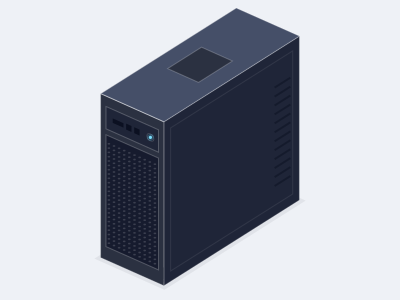
AI developer workstation, 1 to 2 GPUs
- GPUs
- 1 or 2 x NVIDIA RTX PRO 6000 Blackwell Workstation Edition
- CPU
- AMD Ryzen Threadripper PRO, 24 to 96 cores
- Memory
- 8 channel DDR5 RDIMM, 128 GB to 1 TB
- Chassis
- Tower, 1,600 W to 2,000 W PSU, air cooled
4 GPU AI workstation, RTX PRO 6000 Max-Q
- GPUs
- 4 x NVIDIA RTX PRO 6000 Blackwell Max-Q Workstation Edition
- CPU
- AMD Ryzen Threadripper PRO, 32 to 96 cores
- Memory
- 8 channel DDR5 RDIMM, 256 GB to 2 TB
- Chassis
- Tower, about 1.8 kW, air cooled
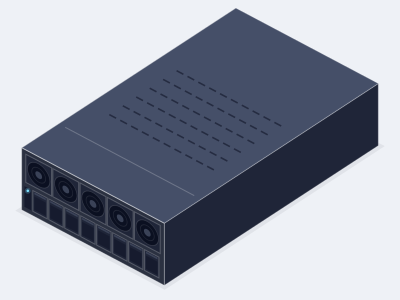
8 GPU RTX PRO 6000 PCIe AI server
- GPUs
- 8 x RTX PRO 6000 Blackwell Server Edition
- CPU
- 2 x AMD EPYC 9005 or 2 x Intel Xeon 6
- Memory
- Up to 2 TB DDR5 RDIMM
- Chassis
- 4U, about 6.5 kW, air cooled
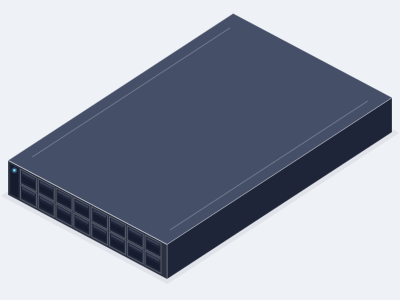
2 GPU 2U inference server
- GPUs
- 2 x RTX PRO 6000 Blackwell Server Edition (96 GB)
- CPU
- 1 or 2 x AMD EPYC 9005, or 2 x Intel Xeon 6
- Memory
- Up to 1.5 TB DDR5 RDIMM
- Chassis
- 2U, about 2 kW, air cooled
Related GPUs
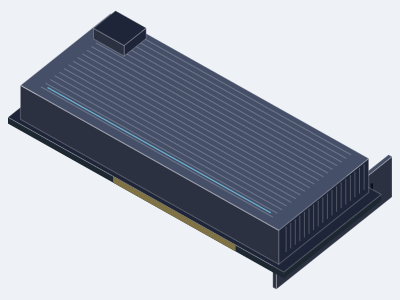
NVIDIA RTX PRO 6000 Blackwell
- Memory
- 96 GB GDDR7 with ECC per GPU
- Form
- PCIe, dual slot, active
- Best for
- AI development, fine tuning, rendering and simulation on the desk, with Max-Q for four GPU towers
NVIDIA RTX PRO 6000 Blackwell Server Edition
- Memory
- 96 GB GDDR7 with ECC per GPU
- Form
- PCIe, dual slot, passive
- Best for
- Dense PCIe inference, fine tuning, rendering and virtual workstations from 1 to 10 GPUs per server
Ready to specify a system?
Tell us what you are building and we turn it into a specified system with a written quotation.
- (858) 613-1818
- sales@computermodules.com
- Monday to Friday, 8am to 5pm Pacific